
Service keys stay on your computer
Text goes to the services you connect and nowhere else, and a paid service bills you directly.
Voices
StellAurator is a recording program first, and everything in it works with your own voice and no service connected. Computer voices and voice conversion are extras.
They need no account or internet connection, and the voices built into Windows work too. They read a line aloud, to hear a scene before you record it or to stand in for a part until an actor records it. For a book that is not going to Audible, they read the whole thing.
Converting your reading into a character’s voice takes one of the conversion services marked below, or one that runs on your own computer. You sign up with it and pay it directly; that use is separate from your StellAurator plan.
Get an ElevenLabs account if you want its voices. StellAurator is an independent affiliate of ElevenLabs and is paid a commission if you subscribe after following this link. You can also go to elevenlabs.io directly.
Olivia, Emma, Ava, Amelia, Charlotte, Mia, Sophia, Evelyn, Isabella, Harper. Noah, Oliver, Theodore, James, Henry, Liam, William, Elijah, Lucas, Mateo. Luna, Jazzy, Raven, Willow, Juniper, Phoenix.
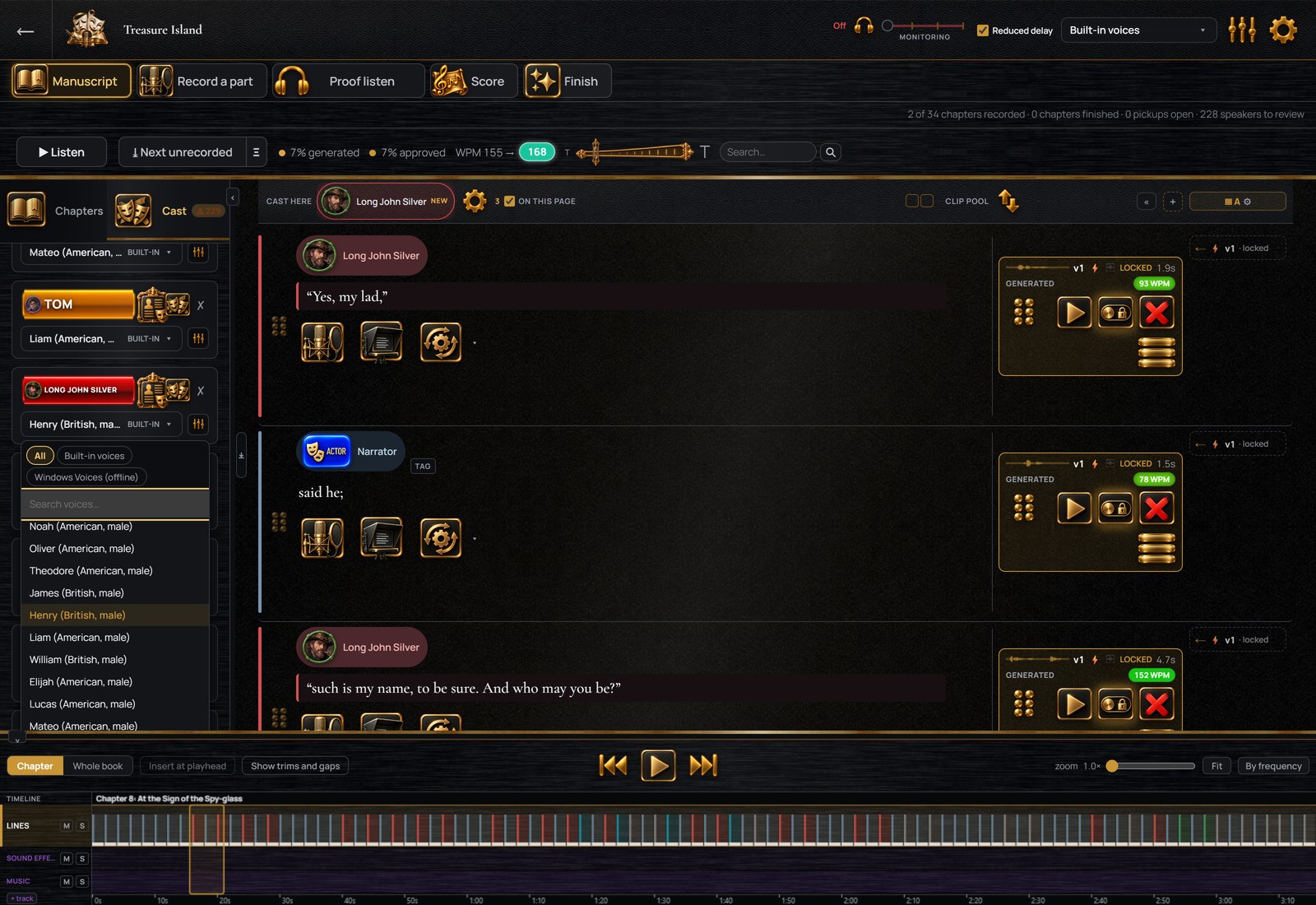
Your reading, in a character’s voice
Your voice does not have to sound like the character. Read every part in your own voice, then a conversion service turns each line into the voice of the character who speaks it. Your timing and your pauses are kept, and the original recording is kept beside every converted one.
Text goes to the services you connect and nowhere else, and a paid service bills you directly.
Audible’s ACX does not accept computer-generated narration. A file with a computer-generated voice is marked as containing AI-generated narration, and a file with a reading you recorded and converted is marked as containing a speech-to-speech modified human performance. The export window counts the generated and converted lines before you export.
Enter a name the voices get wrong once, and every voice reads it that way from then on. A human reader sees the same guide where the names occur.
AI help
Connect one under Settings: Anthropic, OpenAI, xAI, Gemini, Groq, OpenRouter, or Ollama on your own computer. It is asked who says a doubtful line and where the music cues belong, and it writes a first description of each character. You read and edit every instruction sent to it. With none connected, speakers are still found and the doubtful lines are flagged for you.
No card. The twenty-six built-in voices are in the trial too.